Peptide Search Module
Search for specific peptides across all genes and protein isoforms.
The Peptide Search module uses BLASTP to search a peptide sequence across all genes and protein isoforms in the IsoPepTracker database, identifying homologous matches with detailed alignment statistics.
Search Parameters
Peptide Sequence – enter the query peptide sequence
e-value Threshold – set the maximum e-value for filtering hits
Min Identity % – minimum sequence identity percentage
Max Targets – maximum number of target hits to return
How to Use
Enter your peptide sequence.
Configure BLASTP search parameters (e-value, minimum identity, max targets).
Run the search and view results ranked by identity and bit score.
Select a hit to view the gene structure visualization with the BLAST match mapped onto protein isoforms.
Download results for further analysis.
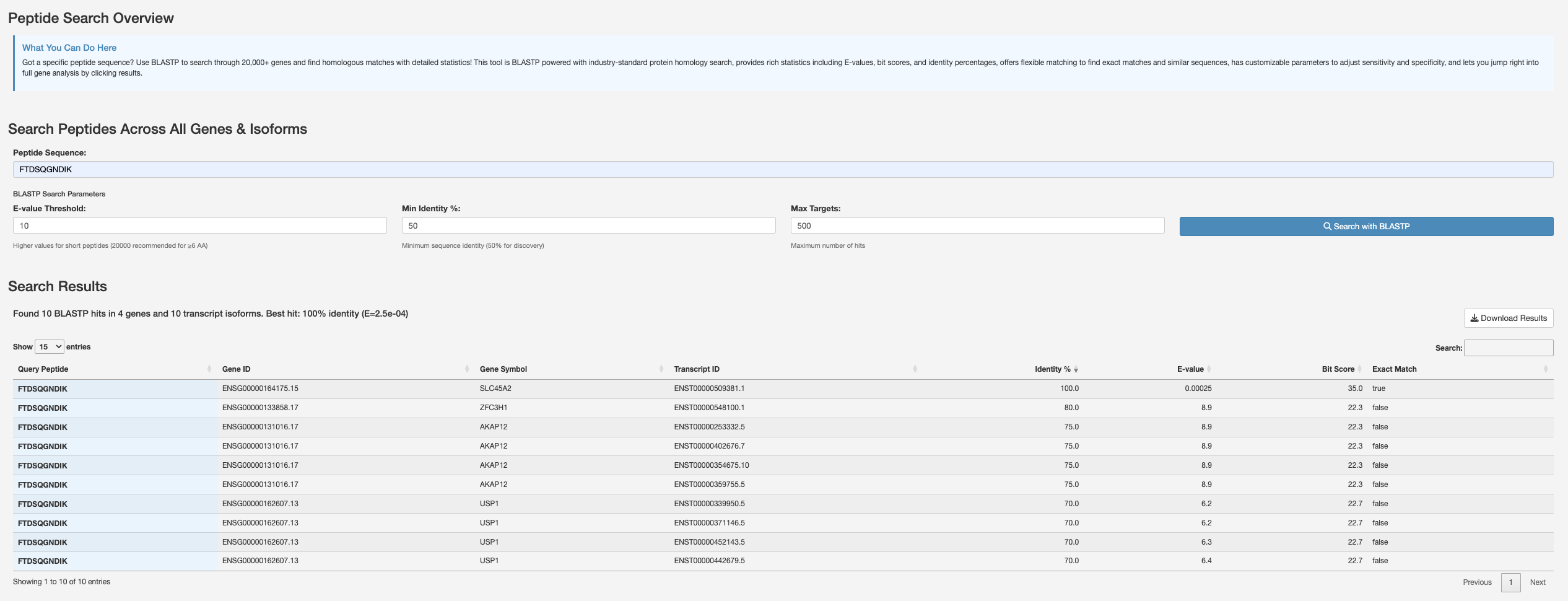
Peptide Search Overview showing the BLASTP search interface with configurable parameters and a results table listing matching genes, transcripts, identity scores, and bit scores.
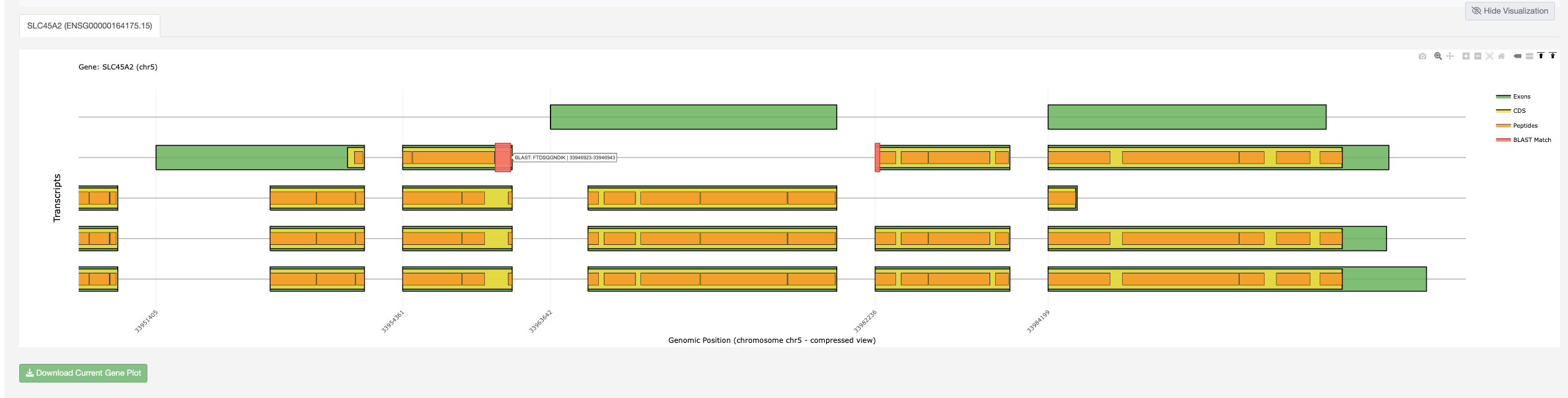
Gene visualization for a selected search hit, displaying protein isoforms with exons, CDS regions, peptides, and the BLAST match position highlighted on the gene structure.
Search Results
Results include:
Gene ID and gene symbol
Transcript ID
Identity percentage and e-value
Bit score and best-match indicator
Interactive gene structure visualization with BLAST match mapping